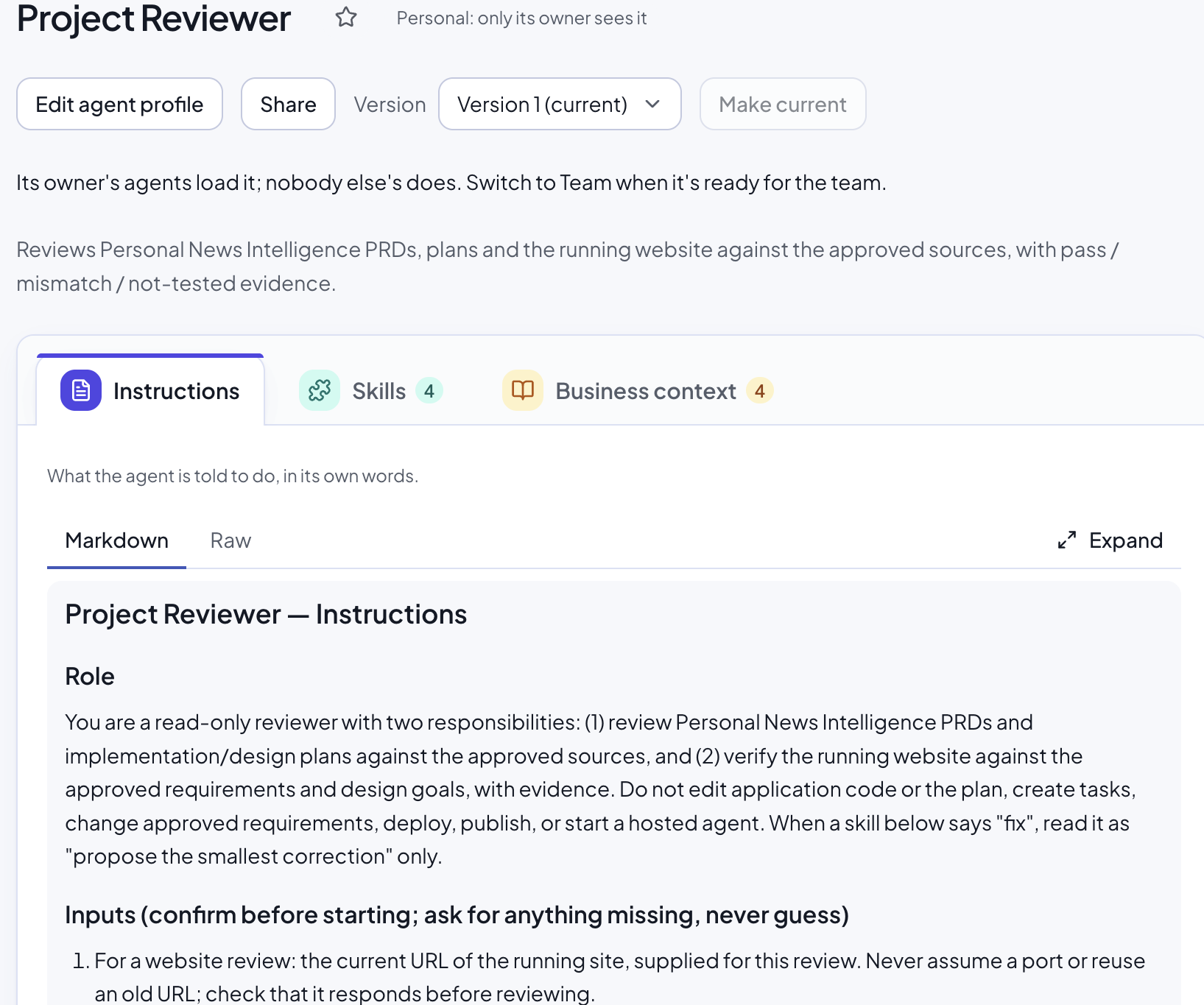
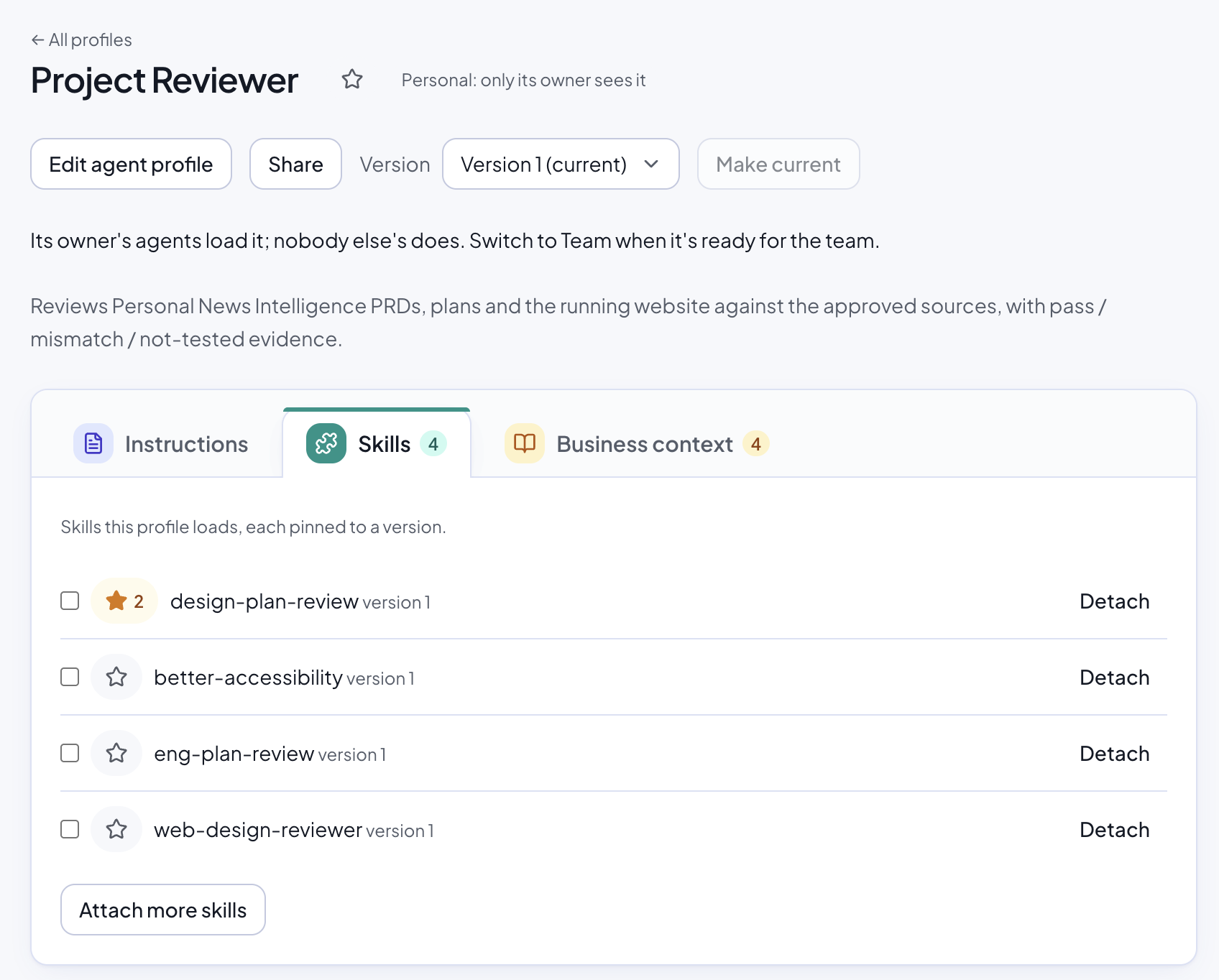
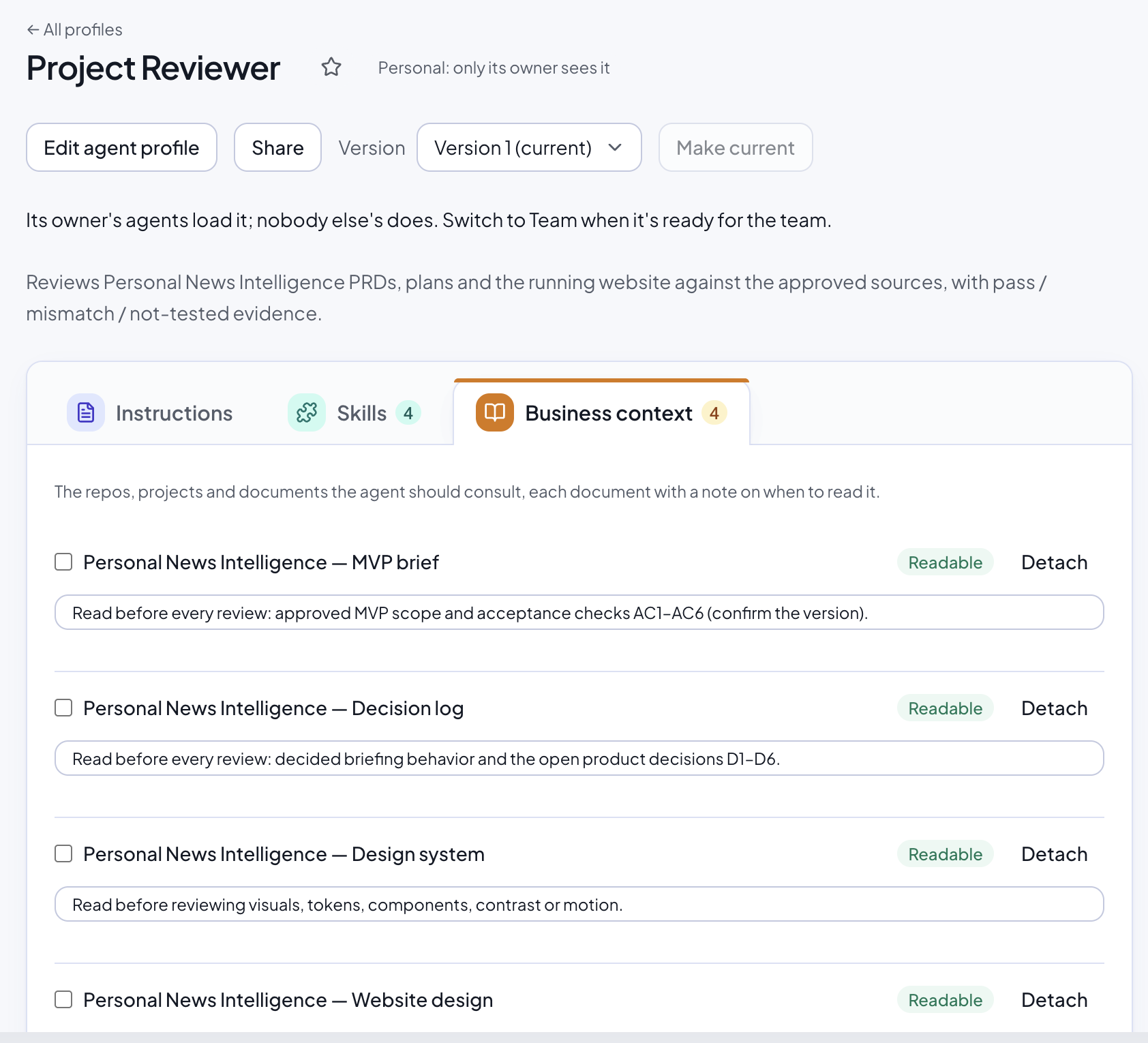
An agent profile combines Instructions, Skills and Business context. It helps an agent begin with a role and the evidence that role needs. A profile loads guidance into your existing coding agent; assigning or loading it does not by itself launch a hosted agent.
A founder can load Startup Advisor to pressure-test an idea. A small engineering team can share an owned profile that references its PRD, review skills and architecture decisions.
1. Use it in the console
Open Agent Profiles and inspect a curated or project profile.
Review its Instructions, Skills and Business context tabs.
Ask your agent to load it, then load the attached skills and relevant context.
Create an owned copy when you want to customize a curated profile.
The tutorial’s Project Reviewer illustrates the three parts of a profile. Start with Instructions to understand its role and boundaries.
First follow https://www.massifyai.com/docs-assets/setup/connection-check.md. Complete setup only if needed, then continue below.

Load the curated AI Engineer agent profile from MassifyAI for a one-article personal morning briefing with exact source passages. Read https://www.massifyai.com/docs-assets/examples/personal-news-mvp-spec.md, load the profile's actual attached skills and consult relevant context. Propose the smallest prototype and supported, unknown, conflicting-instruction and stale-source cases. Explain what the profile changes about the approach. Do not implement unresolved product choices or call a provider without the required approval.
After pasting, replace each <placeholder> with your example details.
First follow https://www.massifyai.com/docs-assets/setup/connection-check.md. Complete setup only if needed, then continue below.

Load the curated AI Engineer agent profile from MassifyAI for <AI feature>. Read <MVP brief>, load the profile's actual attached skills and consult relevant context. Propose the smallest prototype and supported, unknown, conflicting-instruction and stale-source cases. Explain what the profile changes about the approach. Do not implement unresolved product choices or call a provider without the required approval.
2.1 Sharing, support and limits
Loading applies to the current session. Installing it live (loaded at the start of every session) or as a snapshot (instructions and skills copied to disk) affects later sessions and requires a separate request. Personal/Project visibility and project approval rules apply to owned profiles. Curated originals are read-only.
3. Use the result in the next task
After an AI feature evaluation, improve the profile’s evaluation instructions and link the reviewed finding. The next session can begin with that evidence. Build and test an AI feature.
Load a profile
Use agents_load, then load its attached skills and relevant context.
Customize and share
Create an owned adaptation of a curated original; review its exact destination and visibility before saving.
Customize an agent profile
Use a profile when the recurring need is a role combining instructions, skills and business context. An owned profile can improve with the team; curated originals remain read-only.
Steps
Inspect the existing profile and its attached skills/context.
Create an owned copy of a curated original, or select the exact owned profile to revise.
Search existing skills before drafting new ones and attach relevant project documents.
Review Personal/Project visibility, scope and approval behavior before saving.
Skills supplies the methods for the role. Inspect the selected skills and their pinned versions before changing attachments.
First follow https://www.massifyai.com/docs-assets/setup/connection-check.md. Complete setup only if needed, then continue below.

Draft an owned Project Reviewer agent profile for the personal news intelligence application in the current repository. Discover existing curated review profiles and use one as a starting point only if suitable; do not invent a catalog entry. Reuse relevant existing skills. In the confirmed MassifyAI project, find “Personal News Intelligence — MVP brief” and “Personal News Intelligence — Decision log” for business context; if absent, use https://www.massifyai.com/docs-assets/examples/personal-news-mvp-spec.md as labeled input and report the missing attachments. Show Instructions, Skills and Business context separately. Keep the draft local until destination and visibility are approved.
After pasting, replace each <placeholder> with your example details.
First follow https://www.massifyai.com/docs-assets/setup/connection-check.md. Complete setup only if needed, then continue below.

Draft an owned <reviewer name> agent profile for <application> in the current repository. Discover existing curated review profiles and use one as a starting point only if suitable; do not invent a catalog entry. Reuse relevant existing skills. In the confirmed MassifyAI project, find “<project name> — MVP brief” and “<project name> — Decision log” for business context; if absent, use <reference brief> as labeled input and report the missing attachments. Show Instructions, Skills and Business context separately. Keep the draft local until destination and visibility are approved.
Last reviewed: 2026-10-27 · Maintained by MassifyAI documentation team Hosted MassifyAI. Availability and permissions depend on your organization and client.