Tutorial 2 of 15 · Build your first project. Follow the sequence or bring your own equivalent inputs.
Continue the fictional personal news intelligence startup from Tutorial 1 with its ready-to-use MVP specification, or bring your own pasted MVP spec or existing knowledge base document. Saving it in the knowledge base comes next. The Task Board carries the plan across developers and agents; it helps you answer “what should I work on next?” from current evidence rather than a stale checklist.
Starting here? Use a coding agent connected to MassifyAI. The example tab reads the hosted MVP specification directly and assigns newly created tasks to you.
1. Turn the spec into proposed work
Ready to paste. No editing needed.
First follow https://www.massifyai.com/docs-assets/setup/connection-check.md. Complete setup only if needed, then continue below.

Confirm my MassifyAI organization and project, then read https://www.massifyai.com/docs-assets/examples/personal-news-mvp-spec.md. Inspect the current Task Board and relevant comments.

Propose a small set of tasks for that MVP, with outcomes, dependencies, priorities, and acceptance criteria tied to the specification. Check for duplicates and identify unresolved product decisions. Plan to assign newly created tasks to me, the current MassifyAI user. Reuse my verified identity from this conversation and resolve my actual user ID through the available tools if needed; do not guess an assignee. Preserve the owners of existing tasks. Show the proposal before creating any tasks, and keep the lack of validated customer demand visible.

If I subsequently ask you to create the tasks, create only the agreed tasks in the confirmed project and assign each new task to my verified user ID. Verify the saved assignee and report any assignment failure instead of silently leaving a task without an owner. Then return each saved task's title as a Markdown link that opens the Task Board with its side panel. Use this URL format: {consoleOrigin}/tasks?view=board&task={taskId}&project={projectId}&org={organizationId}. Use the current environment's verified console origin and the actual task, project and organization IDs from successful tool results or verified workspace context; URL-encode the values. Do not use standalone /tasks/{taskId} links, invent missing IDs, or present proposed or failed task creations as saved tasks. If a required ID is missing, retrieve it before constructing the link, or explain what you couldn't verify.
After pasting, replace each <placeholder> with your example details.
First follow https://www.massifyai.com/docs-assets/setup/connection-check.md. Complete setup only if needed, then continue below.

Confirm my MassifyAI organization and project, then read <MVP brief>. Inspect the current Task Board and relevant comments.

Propose a small set of tasks for that MVP, with outcomes, dependencies, priorities, and acceptance criteria tied to the specification. Check for duplicates and identify unresolved product decisions. Plan to assign newly created tasks to me, the current MassifyAI user. Reuse my verified identity from this conversation and resolve my actual user ID through the available tools if needed; do not guess an assignee. Preserve the owners of existing tasks. Show the proposal before creating any tasks, and keep the <demand evidence status> visible.

If I subsequently ask you to create the tasks, create only the agreed tasks in the confirmed project and assign each new task to my verified user ID. Verify the saved assignee and report any assignment failure instead of silently leaving a task without an owner. Then return each saved task's title as a Markdown link that opens the Task Board with its side panel. Use this URL format: {consoleOrigin}/tasks?view=board&task={taskId}&project={projectId}&org={organizationId}. Use the current environment's verified console origin and the actual task, project and organization IDs from successful tool results or verified workspace context; URL-encode the values. Do not use standalone /tasks/{taskId} links, invent missing IDs, or present proposed or failed task creations as saved tasks. If a required ID is missing, retrieve it before constructing the link, or explain what you couldn't verify.
The example continues the startup from Tutorial 1. Switch to Prompt template to use your own MVP brief or knowledge base document.
Review a small set such as source upload, cited answers, and unsupported-question handling for the sample app. Then ask the agent to create only those agreed tasks in the confirmed project, assign the new tasks to you, preserve existing ownership and check for duplicates. Open the returned task links to verify the tasks and their assignees. Approve only the tasks you want. A useful task describes what exists when finished and how to check it. Assigning a task does not automatically start a hosted agent.
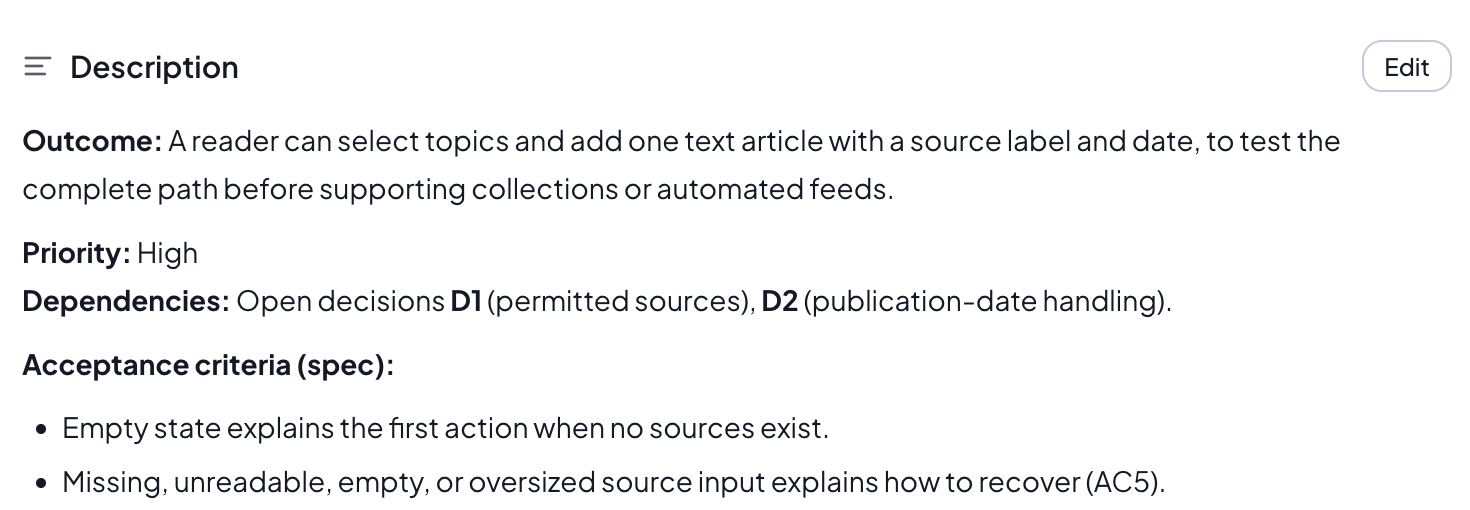
Open a saved task and check its outcome and acceptance criteria against the MVP brief.
For example, Show a cited answer is finished when a supported question displays an answer with the exact source passage, and replacing that source removes the old answer. Keep each title about its own outcome; put a shared project label on related tasks.
If saving reports an existing task, compare its description and acceptance criteria before reusing it. If a request times out, read the board before retrying so you do not create the same work twice.
2. Get an update and choose what to work on next
A handful of open tasks is manageable by hand. As the backlog grows, ask your coding agent for the project picture first, then a recommendation. It can read the tasks and supporting documents for you; opening the board is optional for this check-in. At this stage, the supplied brief and actual saved tasks are enough. Knowledge base documents and approved design specs add context when they exist.
Ready to paste. No editing needed.
First follow https://www.massifyai.com/docs-assets/setup/connection-check.md. Complete setup only if needed, then continue below.

Based on the agreed MVP brief or PRD, project goals, any available approved design specs, and current MassifyAI Task Board, where do we stand and what should I work on next? Refresh the tasks, relevant subtasks and recent comments, and search for linked current knowledge base context where available. Start with a short plain-language update: goal, verified progress, active work and owners, blockers and open decisions. Distinguish a planned task or recorded state from an implemented, tested result. The hosted example brief is an input, not proof that a feature exists.

Then give me up to three options with reasons tied to goal alignment, value/risk, dependencies, urgency and existing ownership. Recommend one smallest useful task with its intended outcome and acceptance check. Name the sources/versions used, when checked and any missing or partial coverage; do not invent missing design specs or completion percentages. Offer a focused follow-up question about the recommendation. Read only: don't create, claim, reassign, reprioritize or update work until I choose.

Link each existing task you mention by its title so it opens in the Task Board's side panel with the board still visible. Use the current environment's verified console origin and this URL format: {consoleOrigin}/tasks?view=board&task={taskId}&project={projectId}&org={organizationId}. Fill every field with the actual task ID and its project and organization IDs from tool results or verified chat context; URL-encode the values. Do not use the standalone /tasks/{taskId} page, copy example IDs, or invent missing IDs. If required link information is unavailable, name the task and explain which information is missing. Do not link a proposed activity as though it were an existing task.
Ready to paste. This prompt needs no substitutions.
First follow https://www.massifyai.com/docs-assets/setup/connection-check.md. Complete setup only if needed, then continue below.

Based on the agreed MVP brief or PRD, project goals, any available approved design specs, and current MassifyAI Task Board, where do we stand and what should I work on next? Refresh the tasks, relevant subtasks and recent comments, and search for linked current knowledge base context where available. Start with a short plain-language update: goal, verified progress, active work and owners, blockers and open decisions. Distinguish a planned task or recorded state from an implemented, tested result. The hosted example brief is an input, not proof that a feature exists.

Then give me up to three options with reasons tied to goal alignment, value/risk, dependencies, urgency and existing ownership. Recommend one smallest useful task with its intended outcome and acceptance check. Name the sources/versions used, when checked and any missing or partial coverage; do not invent missing design specs or completion percentages. Offer a focused follow-up question about the recommendation. Read only: don't create, claim, reassign, reprioritize or update work until I choose.

Link each existing task you mention by its title so it opens in the Task Board's side panel with the board still visible. Use the current environment's verified console origin and this URL format: {consoleOrigin}/tasks?view=board&task={taskId}&project={projectId}&org={organizationId}. Fill every field with the actual task ID and its project and organization IDs from tool results or verified chat context; URL-encode the values. Do not use the standalone /tasks/{taskId} page, copy example IDs, or invent missing IDs. If required link information is unavailable, name the task and explain which information is missing. Do not link a proposed activity as though it were an existing task.
The best recommendation can be to finish a blocker or clarify a decision. Existing ownership and active claims matter; don't infer that a task is free from its title alone.
3. Work, check and hand off
For your first progress update, choose a planning task you have actually completed, such as reviewing the brief, and attach that evidence. Leave implementation tasks open until the work is done. As you continue, authorize the agent to work only within the chosen task’s scope. Use state with the tool's accepted values when updating progress. Link the checked result, describe remaining issues and record the next action. A status update is not proof the implementation works.
4. Improve the plan from the outcome
After review, update the spec or task acceptance criteria if the work exposed a missing assumption. In the next session, read that revision before prioritizing again. Keep a reusable planning method in Skill Center when it helps beyond one ticket.
Last reviewed: 2026-11-05 · Maintained by MassifyAI documentation team Hosted MassifyAI. Availability and permissions depend on your organization and client.